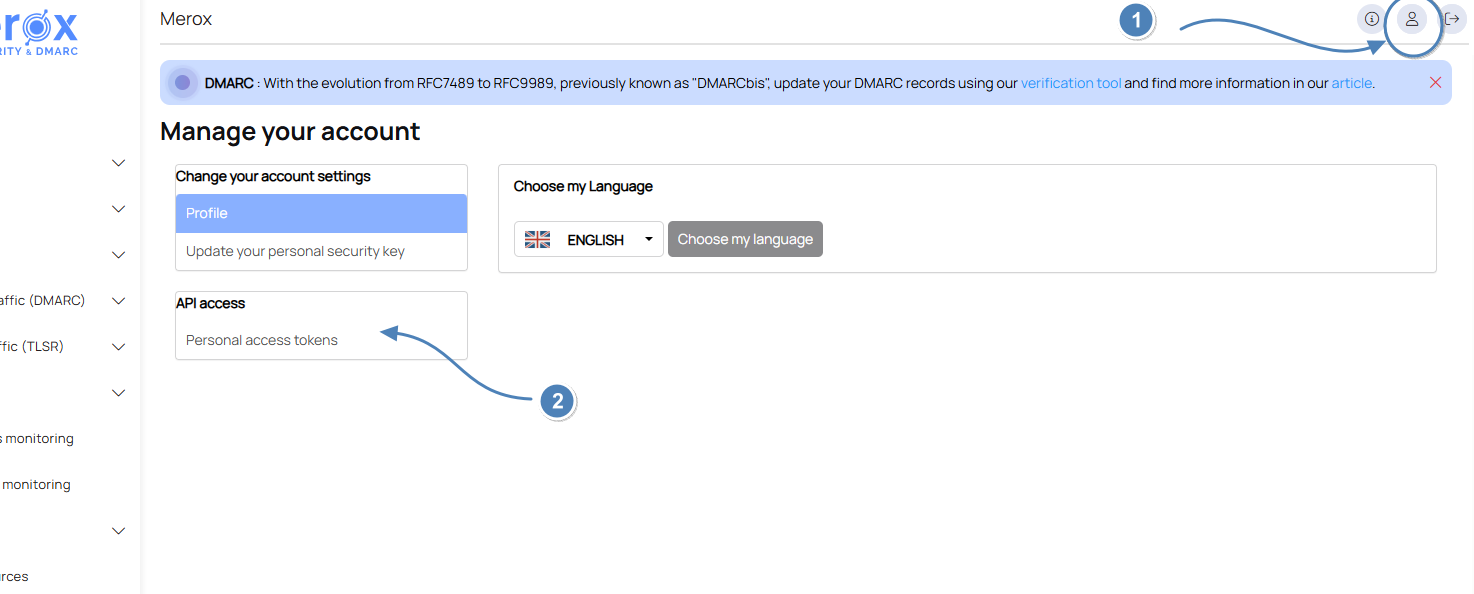
Go to the details of your profile (little man icon at the top right), then click on "Personal access tokens"
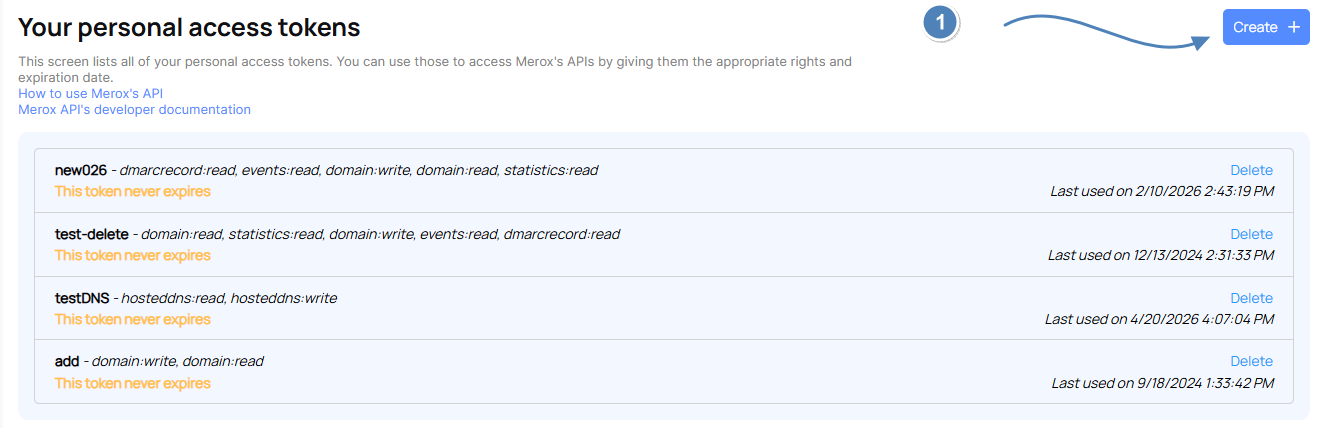
In the token list interface, click on the "Create" button
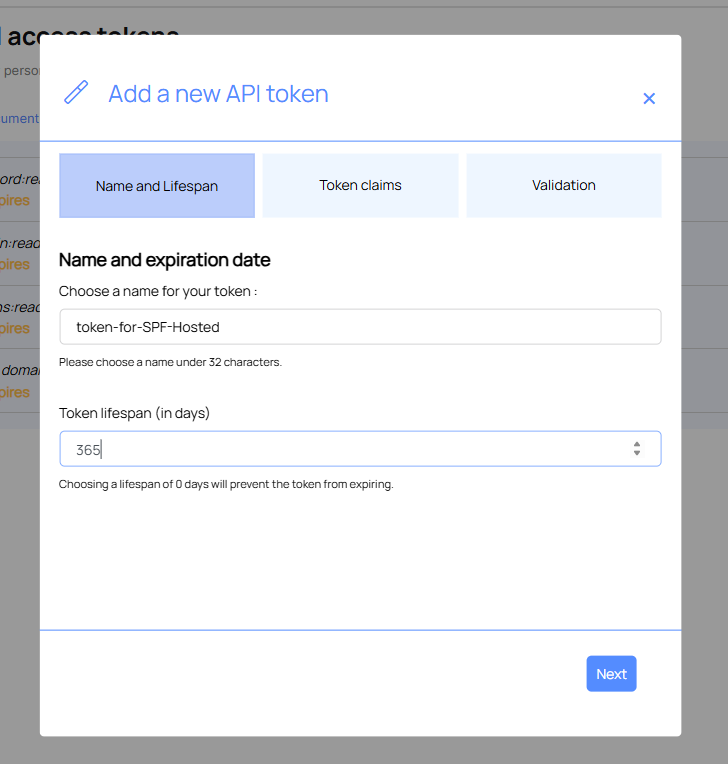
In the wizard, start by naming your token, and if you wish, give it a lifetime in days.
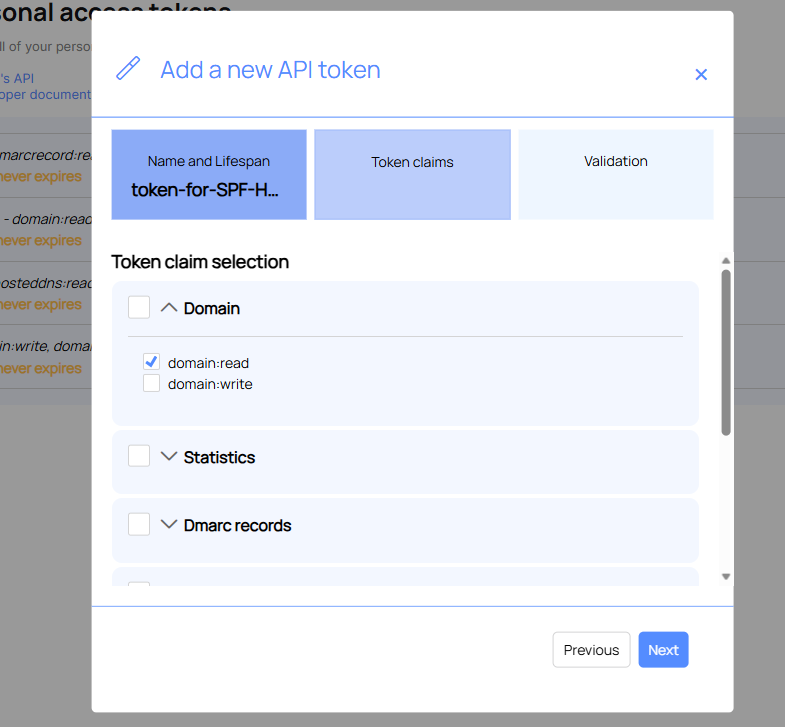
Choose the access rights for the token
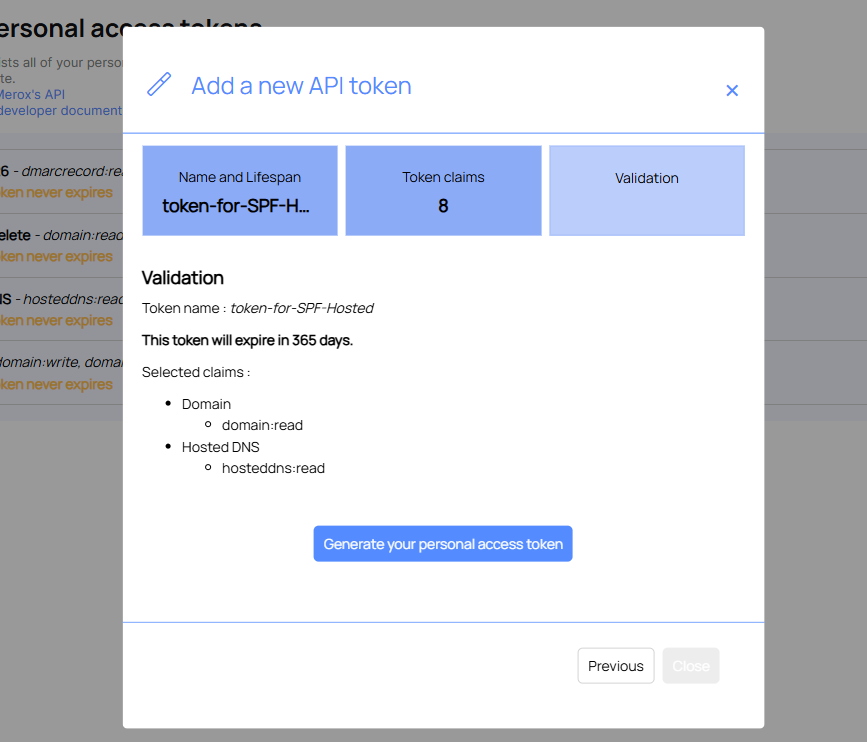
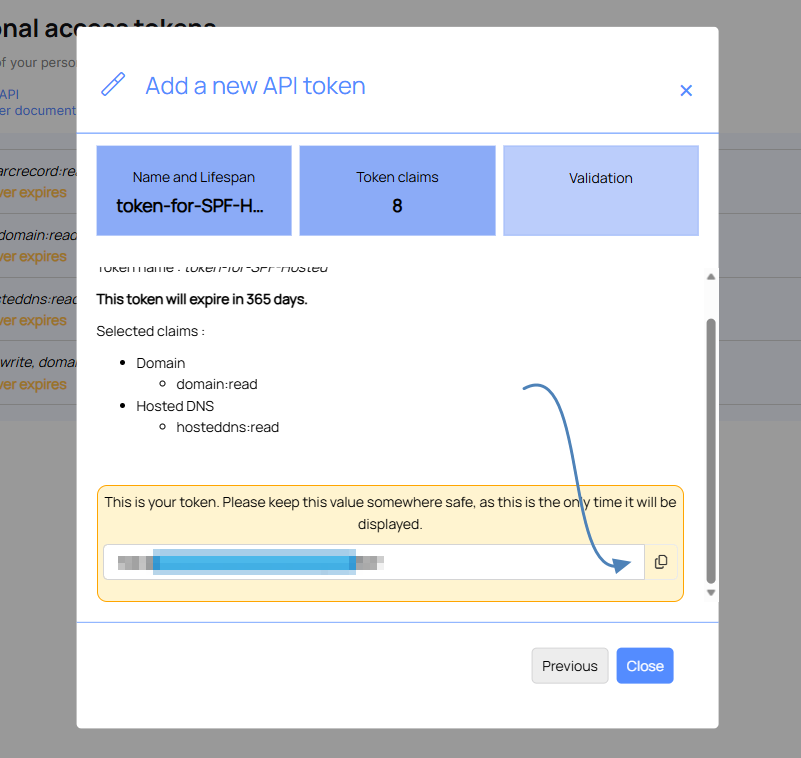
In the last screen, click on "Generate your personal access token," then copy it to a safe place. It will not be displayed afterwards.
Once your personnal API token (PAT) is created, you can see how to consume the API via the Using the API article.
Cet article a-t-il été utile ?
C'est super !
Merci pour votre commentaire
Désolé ! Nous n'avons pas pu vous être utile
Merci pour votre commentaire
Commentaires envoyés
Nous apprécions vos efforts et nous allons corriger l'article